Image Flow
A downloadable tool for Windows
ImageFlow
A desktop app for batch converting and compressing images. Drop in a folder, set your options, and let it run.
What it does
You pick a folder with photos and ImageFlow handles the rest: converts formats, resizes to a target width, and compresses to reduce file size. Everything happens locally on your machine, no uploads, no internet required.
Supported formats: JPG, PNG, WebP, HEIC, TIFF, BMP. Output to JPG, PNG, WebP or TIFF.
Where it helps
Photographers who shoot in HEIC on iPhone and need JPGs for a client or website. Designers preparing asset packs at multiple resolutions. Agencies processing event photos before publishing, 200 or 500 files at once. Anyone who has been using 3 different tools or slow online converters to do what should take one click.
How it works
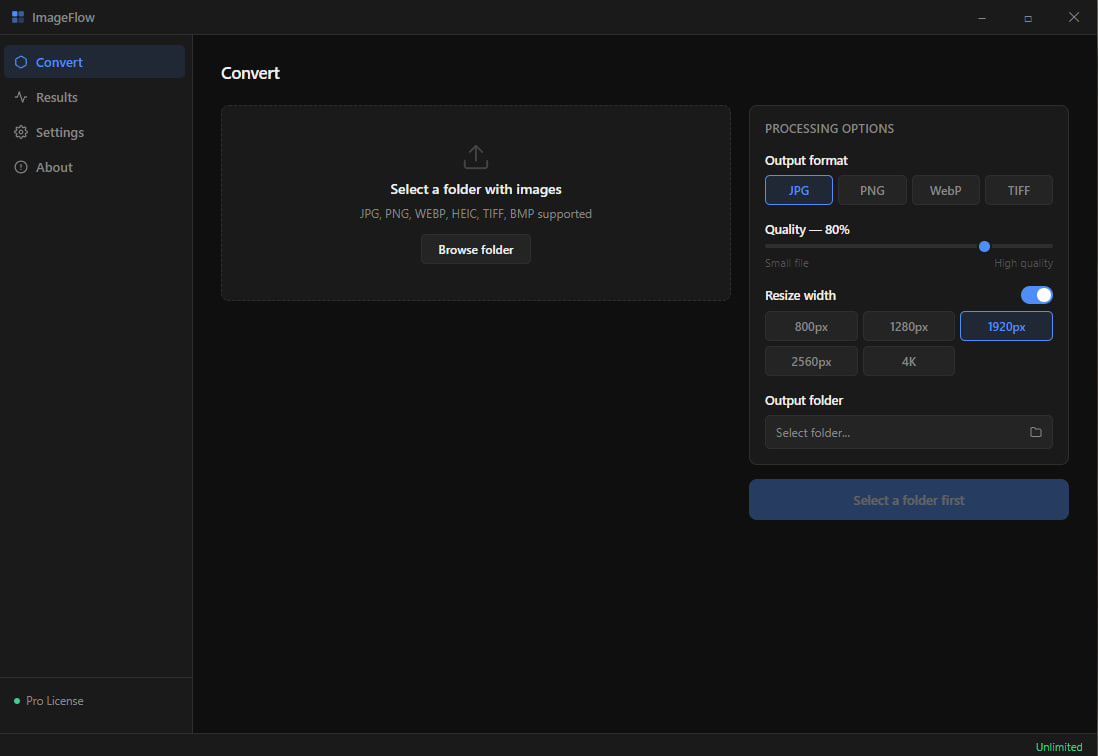
Select a source folder, choose your output format, set quality with a slider, optionally limit width to 1920px or any preset, pick an output folder, and hit Convert. A live progress bar shows which file is being processed. When it finishes you see a result list with original and output file sizes and how much space was saved.
Free and paid
The free version processes up to 10 files per batch. The Pro license ($19, one-time) removes the limit entirely. Agency plan ($9/month) adds priority queue for teams.
Download
Install instructions
Download file, open file, install tool, done.
Leave a comment
Log in with itch.io to leave a comment.